Best Phone for Kids: Which Kind of First Phone to Buy
Basic phones start at about $75. Kids' phones from Gabb, Bark, Pinwheel and Troomi need a $25 to $30 monthly plan. Family Link on a cheap Android is free.
Choose the kind of phone before the model. A child who only needs to ring home is best served by a basic phone with buttons. A child who wants a touchscreen but is not ready for the internet suits a phone built for children, which comes tied to its seller’s monthly plan. A child who needs real apps for school or travel can have an ordinary cheap smartphone, locked down with the controls Google, Samsung and Apple build in.
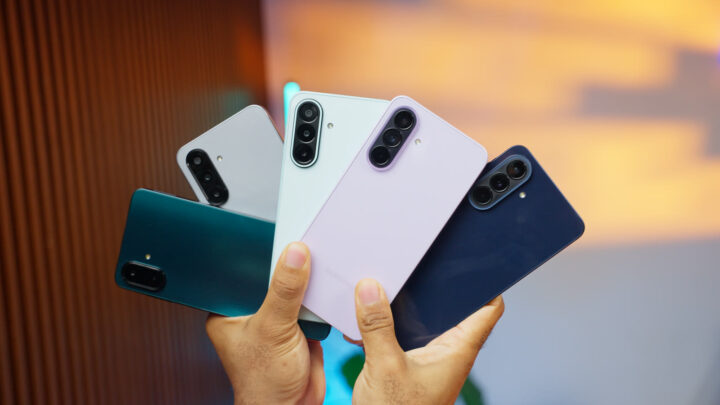
For that third kind we would buy the Samsung Galaxy A17 5G, $269.99 on Samsung’s US store. Oscar Frank, who runs this site, bought and used it alongside this year’s other Galaxy A phones and makes it the budget pick. Oscar rates the cheaper Galaxy A07 fine as a first phone for a child. Everything else here is described from its seller’s own pages, at the seller’s US prices unless we say otherwise.
Some links on this page go to Amazon. As an Amazon Associate I earn from qualifying purchases.
The three kinds compared
| Kind | Example | Phone price | Monthly cost | Internet |
|---|---|---|---|---|
| Basic phone | TCL Flip 3 Voice & Text Only, at Verizon | $99.99 | Your carrier’s plan | Sold as voice and text only |
| Built for children | Gabb Phone 4 | $249.99 | $24.99 to $39.99 | No browser, no app store |
| Built for children | Bark Phone | $10 a month for 24 months | $29 to $79 | None on the $29 plan |
| Built for children | Pinwheel Slim 6 | $199 | $17.99 on your own carrier, or $29.99 with Pinwheel’s service | No browser by default |
| Built for children | Troomi Galaxy A17 5G | $6.94 a month for 36 months | $24.95 to $34.95 | None below the $34.95 plan |
| Ordinary smartphone | Samsung Galaxy A17 5G | $269.99 | Any carrier’s plan. The controls are free. | Open until you restrict it |
A basic phone for calls and texts
A basic phone calls and texts, and that is the whole of it. There is no browser to filter and no app to approve. The built-in controls further down do not apply either, so there is no location sharing through them: Family Link supervises Android phones, Screen Time supervises iPhones, and a button phone is neither.
In the US the simple route is a carrier’s own shelf. Verizon’s basic phones page lists eight, from $74.99 to $250. Two are sold as voice and text only: the TCL Flip 3 Voice & Text Only at $99.99 and the TCL Flip Pro Voice & Text Only at $79.99.
HMD, which makes the Nokia-branded button phones, has a section of phones for children. Its HMD 105 4G School Edition, shown on HMD’s UK site, has no web browser and no preloaded games, and a parent’s PIN can switch off Bluetooth, picture messages and the FM radio. HMD also lists the HMD 2660 Flip 4G there, sold in some countries under the Nokia name. HMD’s pages print no price for either, and its website has no US store. Nokia 2660 Flip 4G on Amazon
Our guide to dumb phones covers more of these, including the ones with maps or a hotspot.
A phone built for children
These are touchscreen phones with the seller’s controls built in, sold with the seller’s own service. Each can be kept to calls, texts and a few approved tools, and the parent manages it from an app. The four below sell in the US.
Gabb Phone 4
Gabb pitches it at ages 9 to 14. It has a 6.1-inch screen and a camera, and Gabb says it cannot access the internet: no browser, no app store, no social media. It does calls, texts, Gabb’s own filtered messaging and video-call app, and location for the parent, updated about every 15 minutes.
The phone is $249.99 with a $30 activation fee. The Starter plan is $24.99 a month on a two-year contract, $26.99 on a one-year contract or $29.99 with no contract. Picture and group texting need the Standard plan, $5 a month more. Advanced, $10 more than Starter, adds Gabb’s fuller music service and 3GB of mobile data. Leaving a contract early costs up to $150. Gabb Phone 4 on Amazon
Bark Phone
The Bark Phone is a Samsung A16 with Bark’s software, paid for at $10 a month for 24 months, $240 in all. On the $29 Starter plan it calls and texts approved contacts and has no internet, apps or games. Advanced plans let the parent allow chosen apps and browsers: $39 on Wi-Fi only, $49 with 4GB of data, $59 with 8GB and $79 unlimited.
What sets Bark apart is monitoring. Bark says the phone scans texts, photos and apps for worrying content and alerts the parent. Tell your child that it does. Bark sells the phone only in the US and refunds the device within 60 days. Its figures here come from the Internet Archive’s latest copy of its page.
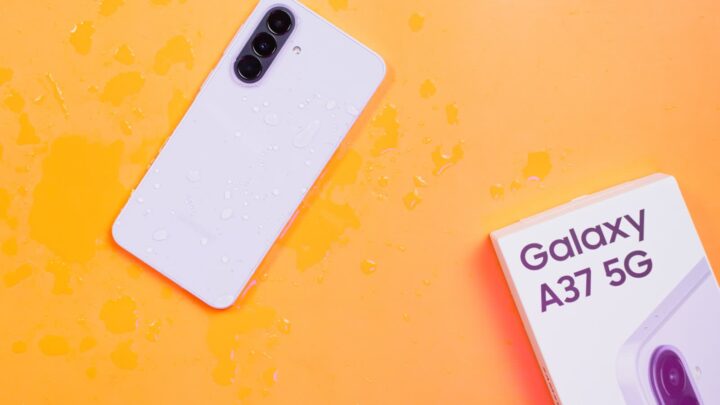
The Bark Phone Pro is a Samsung A37 at $25 a month for 24 months, which is $600. Samsung sells the Galaxy A37 5G unlocked for $489.99, so the Pro costs about $110 more than the same model bought plain. Bark Phone on Amazon
Pinwheel
Pinwheel sells the phone outright: the Genesis 4 at $119, the Slim 6 at $199 and the 5G Plus 6 at $299. Pinwheel says the Genesis 4 works on T-Mobile’s and AT&T’s networks and not on Verizon’s.
It is the one seller here that lets you keep your own carrier. That costs $17.99 a month, or $174.99 a year, for Pinwheel’s parent controls on top of your carrier’s plan. Pinwheel’s own service is $29.99 a month, or $284.99 a year, with unlimited calls and texts, 5GB of data and the controls included.
Pinwheel lists a contact safelist, text monitoring, schedules and location. There is no web browser by default and no social media. A parent can add apps from a rated library, or switch on Google Play with social media and adult apps left out.
Troomi
Troomi sells one phone, a Samsung Galaxy A17 5G with its software, at $6.94 a month for 36 months. That is $249.84, a little under Samsung’s own price for the model Oscar picks on a budget.
The Do plan, $24.95 a month, covers calls and texts with approved numbers, location and text monitoring. Dream, $29.95, adds picture and group texting. Discover, $34.95, adds a browser limited to sites the parent approves and apps from Troomi’s own store. Troomi says service is month to month with no contract, on AT&T’s network, and that its plans only work with a Troomi phone.
Two years of each, added up
- Pinwheel Genesis 4 with Pinwheel’s service paid yearly: $119 plus two payments of $284.99 is $688.98.
- Troomi on the Do plan: 24 months at $31.89 for phone and plan is $765.36, with 12 phone payments, $83.28, still to come.
- Gabb Phone 4 on Starter with a two-year contract: $249.99, the $30 fee and 24 months at $24.99 is $879.75.
- Bark Phone on Starter: 24 months at $39 is $936.
These are before tax. Gabb is the one to buy if the answer to the internet is simply no, because the phone has no browser on any plan. Bark and Troomi keep the same phone as the child grows and change the plan. Pinwheel’s cheapest phone gives the lowest total here, and it is the only one that fits onto a family plan you already pay for.
Outside the US
HMD shows three phones for children on its international site. The XploraOne, made with the smartwatch firm Xplora, does calls and messages with approved contacts and has no internet or social media. The HMD Fuse and the HMD Fusion X1 are smartphones that start with social media switched off. HMD’s pages print no prices. Xplora’s UK store sells the XploraOne at £149 with a plan from £9.99 a month.
An ordinary smartphone, locked down
This is the choice when the child needs what a phone built for children leaves out, such as the school’s app or maps. The controls cost nothing. The work of setting them up is yours.
- Samsung Galaxy A17 5G, $269.99. Oscar’s budget pick, for its Super AMOLED screen and stabilised main camera. Samsung promises six years of updates, long enough to hand it down. Samsung Galaxy A17 5G on Amazon
- Samsung Galaxy A07. The cheapest Galaxy A phone, with an LCD screen and the same six-year promise. Oscar’s verdict is that it is fine as a first phone for a child and that most other buyers should spend a little more. Samsung’s US store does not sell it. The 4G model goes for about $120 where it is offered. Samsung Galaxy A07 on Amazon
- An iPhone, if the parents use iPhones. Google says Family Link cannot supervise an iPhone, so Apple’s Screen Time is the tool. The cheapest new iPhone on Apple’s store is the iPhone 17e, from $699.
Oscar’s comparison of this year’s Galaxy A phones has more on both Samsungs.
How to set up the built-in controls
Do it with the child beside you and say what you are switching on. When the child already has a Google Account, Google’s set-up asks for the child’s agreement anyway.
Any Android phone: Family Link
Google’s Family Link is free. For a child under 13 with no Google Account, create the account from the Family Link app on your own phone, then sign the child in on theirs. Google suggests allowing about 15 minutes. For a child who already has an account, open Settings on the child’s phone, tap Parental controls under Kids & Family, then Let’s do this.
From your phone you can then set a daily limit and a bedtime, approve or block apps, and see where the phone is. Google’s own FAQ says Family Link does not block all inappropriate content, and that its filters are not perfect.
On a phone with the latest Android 17, there are also controls that need no account. Open Settings, tap Parental controls and set a PIN.
Samsung Galaxy
Samsung’s support pages give the Family Link route in its own menus: Settings, Digital Wellbeing and parental controls, Parental controls, Let’s do this. Samsung adds a layer of its own. Create a child’s Samsung account under Settings, your account name, Family, Add family member, and you can manage web content, apps and purchases from your phone. Samsung says this needs One UI 5.1 or later.
Samsung Kids is a different thing: a walled-off area with a PIN on the way out, opened from the quick settings panel. It suits a small child borrowing your phone.
iPhone: Screen Time
Apple’s route runs through Family Sharing. Create a Child Account under Settings, Family, Add Member. Then open Settings, Family, tap the child’s name and tap Screen Time. Apple’s guide says approval for downloads and for new websites is on by default for children under 13, and that adult websites are limited by default for under-18s. You can also choose who the child may contact, set schedules and set time allowances for apps.
If you want filters or alerts beyond these, our guide to parental control apps for Android compares the paid ones.
What official bodies say
The American Academy of Pediatrics gives no age. Its guidance for parents on HealthyChildren.org asks about the child’s sense of responsibility and what the phone is for, and suggests that a flip phone or a watch may fit better at younger ages. It advises setting up the controls together with the child and explaining them, and loosening them as the child shows responsibility.
Ofcom, the UK’s communications regulator, reports that smartphone ownership in the UK rises from 56% of 10-year-olds to 83% of 11-year-olds, which it ties to the start of secondary school. We read Ofcom’s page in the Internet Archive’s copy.
Quick answers
What is the best phone for a 10 year old?
For calls home, a basic phone or a children’s phone on its calls-and-texts plan. The American Academy of Pediatrics sets no age.
Is there a kids phone without internet?
Yes. The Gabb Phone 4 has no browser on any plan, and the Bark Phone has none on its $29 plan. Verizon sells two flip phones as voice and text only.
Gabb Phone or Bark Phone?
Gabb if the phone should never have the internet: $249.99 and from $24.99 a month. Bark if you want to open it up later and get alerts about worrying content: $10 a month for the phone and from $29 for service.
Do kids’ phones need a monthly plan?
The four US ones do. Pinwheel lets you use your own carrier, at $17.99 a month for its controls.
Can Family Link manage a child’s iPhone?
No. Google says iPhones cannot be supervised with Family Link. A parent can still run the app on an iPhone to manage a child’s Android phone.
Prices move, so confirm on the seller’s page before you pay.