Touchscreen MacBook Pro: Why I’m Upgrading From My M1 Max
From $2,899 with 1TB; only the M5 Max starts at 2TB. What changed since the March model, my 64GB configuration priced out, and who should skip it.
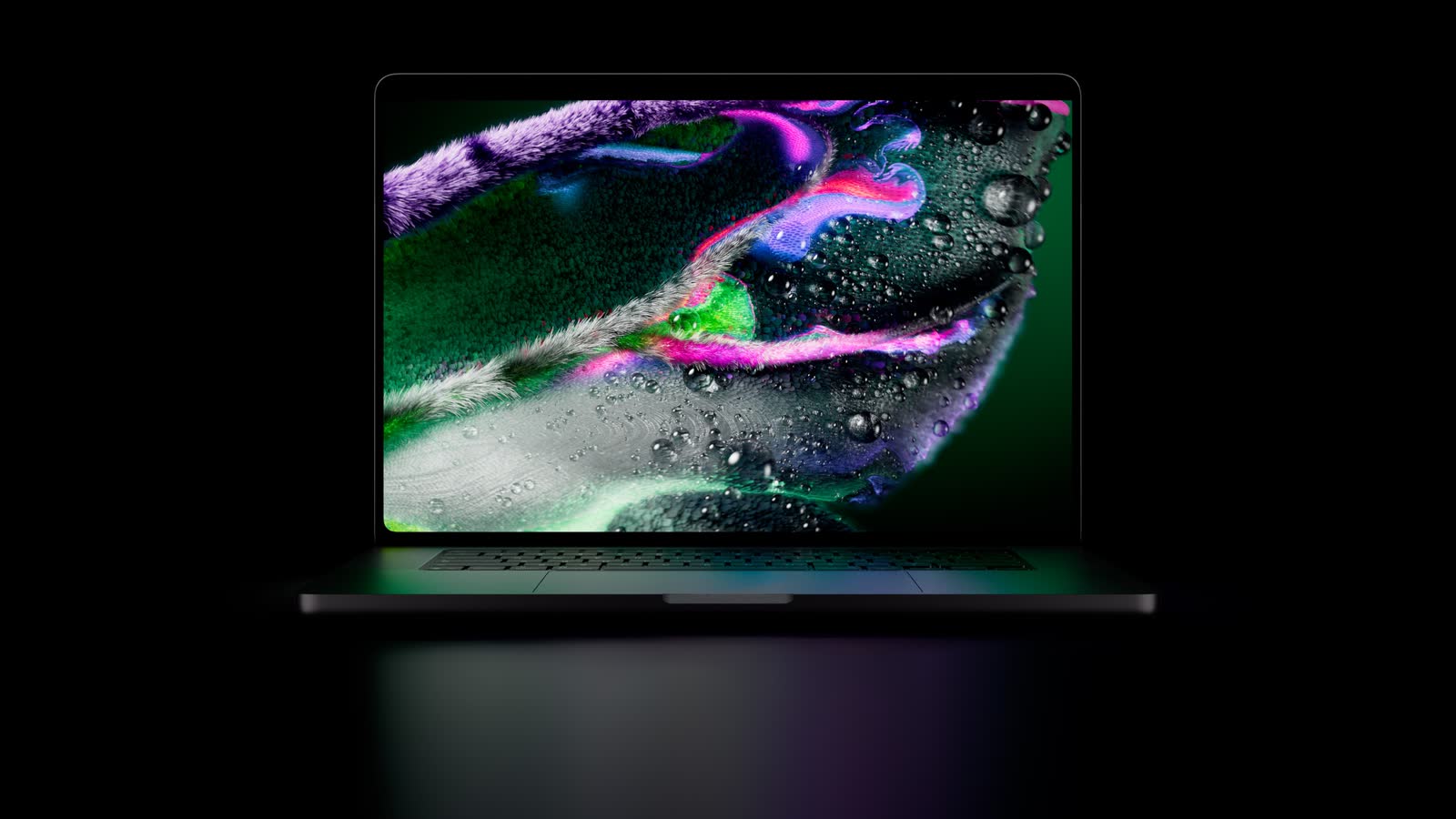
Apple’s new MacBook Pro with PROLED XDR Display is the MacBook Pro you already know, with the same M5 Pro and M5 Max chips, in a new body built around a tandem OLED screen you can touch. It is for people who want that new design and are happy to pay for it. If the Mac you have still does the job, nothing here forces you to move.
I work in tech, and I still use my M1 Max MacBook Pro from 2021. So let me say it up front: this machine is not for everyone. I will be upgrading anyway, because of the new form factor. I have not used the new one yet. Everything below about it comes from Apple’s own pages, and my opinions are what I expect, not what I have seen.
Some links on this page go to Amazon. As an Amazon Associate I earn from qualifying purchases.
What is new, and what is not
Apple keeps selling the March design alongside this one, with the same M5 Pro and M5 Max chips and a mini-LED screen. Here is how the two compare on Apple’s own spec pages.
| MacBook Pro with M5 Pro or M5 Max (March) | MacBook Pro with PROLED XDR Display (new) | |
|---|---|---|
| Display | 14.2 or 16.2 inches, mini-LED. 1,600 nits peak HDR, 1,000 nits SDR, 1,000,000:1 contrast, P3 colour | 14.2 or 16.3 inches, tandem OLED. 2,000 nits peak for HDR and SDR, 10,000,000:1 contrast, P3 and Adobe RGB |
| Touch | No | Yes, plus a Dynamic Island at the top of the screen |
| Chips | M5 Pro or M5 Max | M5 Pro or M5 Max |
| Memory | 24GB to 64GB (M5 Pro), 36GB to 128GB (M5 Max) | Same |
| Storage | 1TB to 4TB (M5 Pro), 2TB to 8TB (M5 Max) | 1TB to 4TB (M5 Pro), 2TB to 16TB (M5 Max) |
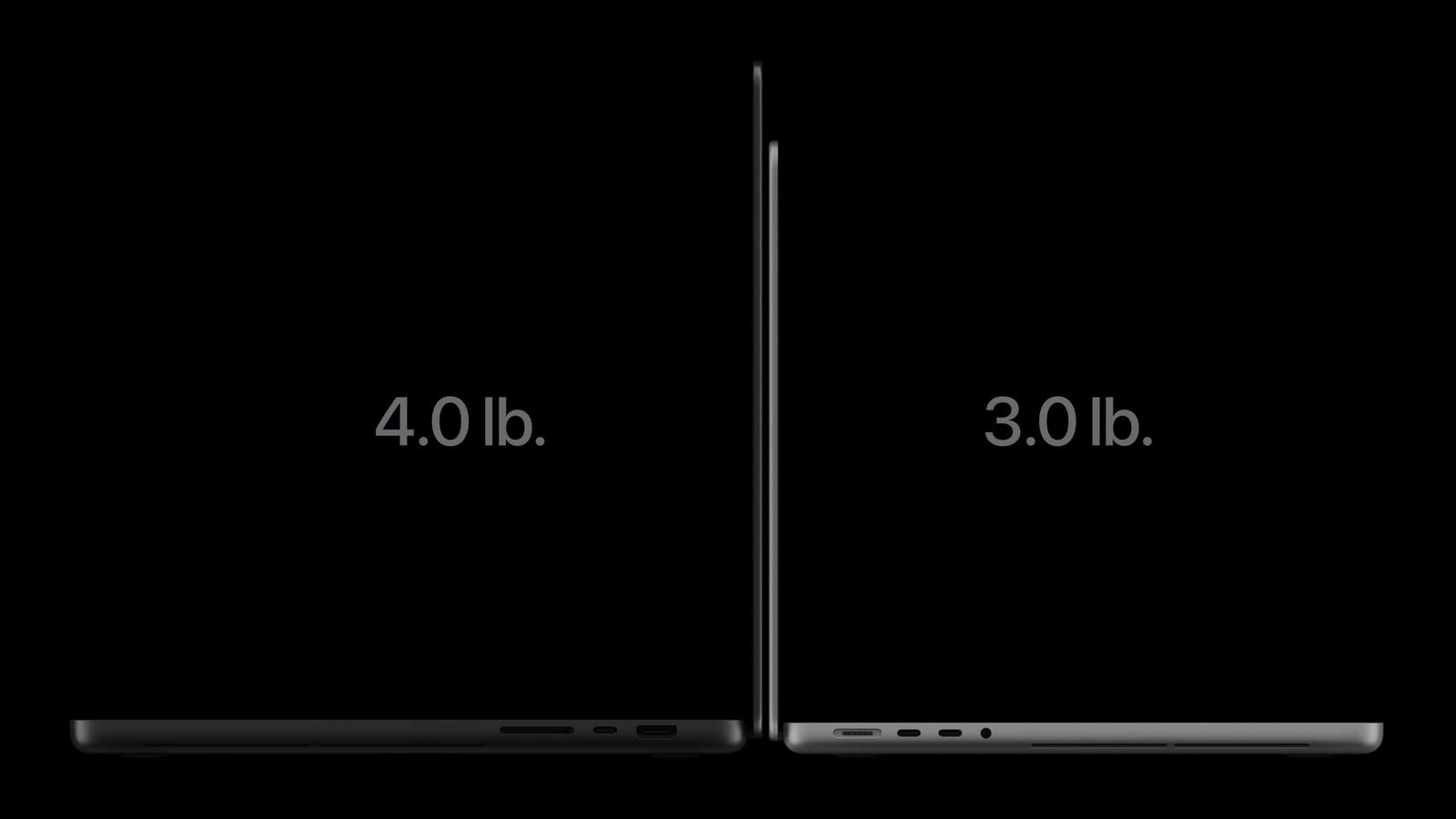
| Weight, 14-inch | 3.5 lb / 1.60 kg (M5 Pro), 3.6 lb / 1.62 kg (M5 Max) | 3.0 lb / 1.38 kg (M5 Pro), 3.1 lb / 1.40 kg (M5 Max) |
| Weight, 16-inch | 4.7 lb / 2.14 kg | 4.0 lb / 1.82 kg (M5 Pro), 4.1 lb / 1.84 kg (M5 Max) |
| Battery life (video streaming) | Up to 22 hours (14-inch) or 24 hours (16-inch) with M5 Pro | Same |
| Ports | Three Thunderbolt 5, HDMI, SDXC card slot, MagSafe 3, headphone jack | Same |
| Starting price (US) | $2,199 at launch, $2,499 on Apple’s store now | $2,899 |
The chips are the part that does not change. Apple says a redesigned thermal system lets M5 Pro and M5 Max hold the same sustained performance in the lighter body, so you are not buying more speed than the March model gives you.
What you are buying is everything around the chip:
- The screen. Tandem OLED, which Apple calls PROLED XDR, now as bright for everyday content as for HDR.
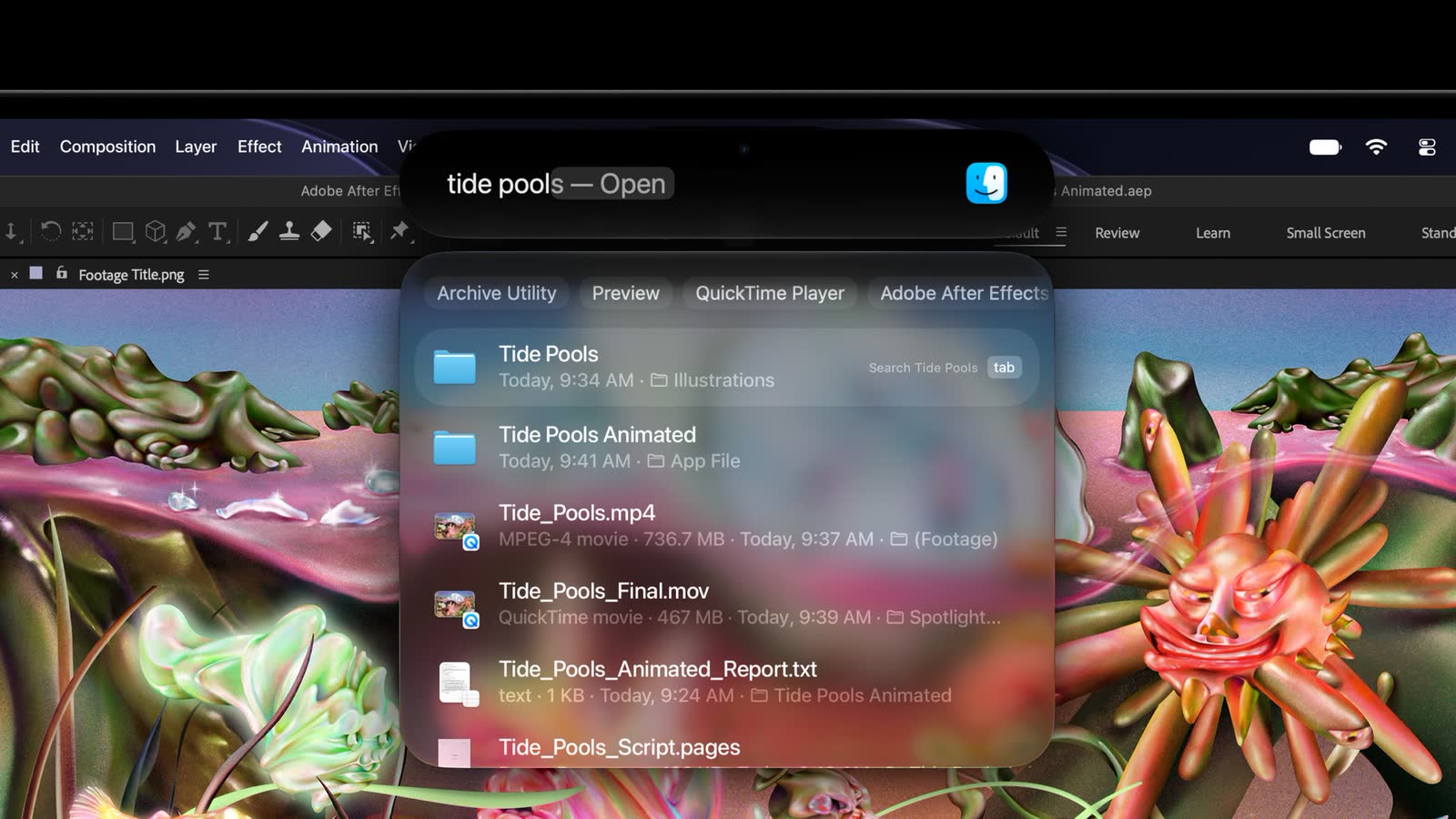
- Touch and the Dynamic Island. The first touchscreen on a Mac. The Dynamic Island becomes the home for Spotlight, Live Activities and Siri AI.
- A lighter, thinner body. Half a pound off the 14-inch, 0.7 pounds off the 16-inch, and a little thinner on both.
- Speakers and camera. New woofers that Apple says give 50 percent deeper bass, and camera stabilisation so the picture on a video call does not shake when you touch the screen.
At every starting point, the new model costs $400 more than Apple asks today for the same chip in the March design. That $400 pays for the new screen and the new body.
What it costs
The cheapest model is the 14-inch with the M5 Pro (15-core CPU, 16-core GPU), 24GB of memory, 1TB of storage, the standard glass and a 70W charger. Apple’s US store has it at $2,899. Pre-orders opened on 28 October, and Apple says it reaches customers from 6 November.
| Starting model | What you get | US | UK | India |
|---|---|---|---|---|
| 14-inch, M5 Pro | 15-core CPU, 16-core GPU, 24GB, 1TB | $2,899 | £2,899 | ₹3,49,900 |
| 16-inch, M5 Pro | 18-core CPU, 20-core GPU, 24GB, 1TB | $3,399 | £3,399 | ₹4,09,900 |
| 14-inch, M5 Max | 18-core CPU, 32-core GPU, 36GB, 2TB | $4,499 | £4,499 | ₹5,49,900 |
| 16-inch, M5 Max | 18-core CPU, 32-core GPU, 36GB, 2TB | $4,799 | £4,799 | ₹5,89,900 |
The UK and India prices are from Apple’s own stores there. Apple has no online store for Nigeria; its Nigerian site sends you to resellers. You can build your own configuration on Apple’s US store, and the full list of specifications is on Apple’s tech specs page.
The 2TB question, and my configuration
2TB is the starting storage only on the M5 Max. The M5 Pro starts at 1TB, and going to 2TB on it costs $500. On the M5 Max you start at 2TB and cannot go lower. From there, 4TB adds $1,000, 8TB adds $3,000 and 16TB adds $7,000.
I am not going above 2TB. If anything, I would happily take less. I do not keep much on a laptop: my studio NAS has 120TB, and I have cloud storage on top of that. If you want to set up something similar, our guide to home NAS drives compares the options.
The configuration I am going for is the M5 Max with 64GB of memory, 2TB of storage and the standard glass. I have a custom PC with 128GB of RAM for my editing, so this laptop is for occasional edits away from the desk, and 64GB is where I would stop.
Getting 64GB on the M5 Max takes the version with the 40-core GPU, because the 32-core M5 Max comes with 36GB and nothing else. The only other chip that offers 64GB is the M5 Pro with the 18-core CPU and 20-core GPU. Mine is the first row:
| 64GB, 2TB, standard glass | 14-inch | 16-inch |
|---|---|---|
| M5 Max, 40-core GPU | $5,099 + $400 for 64GB = $5,499 | $5,399 + $400 for 64GB = $5,799 |
| M5 Pro, 20-core GPU | $3,099 + $1,000 for 64GB + $500 for 2TB = $4,599 | $3,399 + $1,000 for 64GB + $500 for 2TB = $4,899 |
The M5 Pro route is $900 cheaper at either size, and for a lot of people it is the smarter buy. I am taking the M5 Max anyway. On Apple’s figures it brings twice the GPU cores, twice the memory bandwidth (614GB/s against 307GB/s) and a second video encode engine, and those are the parts video editing leans on. If you want 64GB but not 2TB, the M5 Pro with 64GB and 1TB is $4,099 on the 14-inch and $4,399 on the 16-inch.
If you take the 1TB M5 Pro and run short on a shoot, an external USB4 drive works with these Thunderbolt 5 ports. Samsung rates its Portable SSD P9 at up to 4,000MB/s read and lists the 1TB at $339.99 on its own US store. That is only $160 less than Apple’s $500 for an extra terabyte inside the machine, so price both before you decide. Samsung Portable SSD P9 on Amazon
Nano-texture: $150 extra
The nano-texture glass adds $150 to any model. Apple says it is now etched into the cover glass and cuts reflections and glare further, and a polishing cloth comes in the box with it. Apple sells it for glare, and says nothing about how it feels under a finger.
I am not sure it is worth $150 for most people, unless money is no object. On my M5 Max configuration it would take the 14-inch from $5,499 to $5,649, or the 16-inch from $5,799 to $5,949.
Against my M1 Max
Apple compares the new 14-inch M5 Max directly with the 14-inch M1 Max from 2021, the chip I have. These are Apple’s figures, from its own tests:
- Up to 12 times faster to the first token when running an AI language model on the laptop.
- Up to 8.1 times faster AI image generation.
- Up to 5.3 times faster rendering of a SpeedWarp effect in DaVinci Resolve Studio.
- Up to 5 times faster 3D rendering in Maxon Redshift.
- Up to 2.1 times faster building a project in Xcode.
- Storage up to twice as fast, and half a pound lighter.
The huge numbers are for AI and graphics work. For building code, the gain Apple claims is about double. That is still a lot after five years, and it is a long way from twelve.
The M1 Max has served me well for what it was. I still use it. What is pulling me to the new one is the form factor, not a number on a chart.
The touchscreen, and my one question
Apple says the touch sensor is built into the display panel rather than layered on top, to cut the delay between your finger and the screen. You can scroll, pinch to zoom, rotate and draw. You can double-tap a window to fill the screen or flick it into place. macOS turns a touch into a click, so Apple says many existing apps work with touch straight away, and developers get new gesture tools to build for it.
Apple’s own creative apps get touch in updates due this November. Final Cut Pro will let you mark ranges and drop clips into place with your finger, Logic Pro gets an onscreen keyboard you can play, and Pixelmator Pro will let you draw on the canvas. Apple names Lightroom, DaVinci Resolve, Blender, Microsoft Word and Excel among the third-party apps adding touch, and says those arrive later this year. The keyboard and trackpad stay exactly where they are, and Apple says a newly designed hinge keeps the screen steadier while you touch it.

I might not be disappointed. But I do wonder why Apple added a touchscreen to a laptop that does not fold back. Apple says nothing about a 360-degree hinge or a tablet mode; this is still a regular clamshell. So my open question is this: with a keyboard and a large trackpad right under my hands, how often will I reach over them to poke the screen? I do not know yet.
Who should upgrade, and who should not
This is my opinion, based on what Apple has published.
- Upgrade if you are on an M1 Pro, M1 Max or an Intel MacBook Pro and want the new design. That is me. Apple’s own figures against the M1 Max are large, and you also get an OLED touchscreen in a lighter laptop.
- Upgrade if you will actually use touch. Apple’s examples are designers drawing across the whole screen, musicians playing instruments onscreen, and developers testing how their iPhone and iPad apps feel to touch.
- Wait if you have an M4 or M5 MacBook Pro. Apple’s own chart puts the M4 Max at 1.9 times the M1 Max in Xcode, and the new M5 Max at 2.1 times. On the M5 Pro and M5 Max, the chip is the same one you already have. You would be paying for the screen and the weight.
- Buy the March design if you do not need touch or OLED. Same chips, same battery figures, same ports, and $400 less: the 14-inch with M5 Pro is $2,499 on Apple’s store.
- Look at the M5 Pro if you do not want to pay for 2TB. On the M5 Max you have no choice. The M5 Pro starts at 1TB.
- Look at the 14-inch MacBook Pro with M6 if you want the cheapest Pro. Apple announced it the day before this one. It starts at $1,999, with no touch and the mini-LED screen.
If the new design is what you want, here is the MacBook Pro with PROLED XDR Display on Amazon. Apple’s full announcement is on Apple Newsroom.
Quick answers
How much is the touchscreen MacBook Pro?
It starts at $2,899 in the US, £2,899 in the UK and ₹3,49,900 in India, for the 14-inch with M5 Pro, 24GB and 1TB. The M5 Max version starts at $4,499.
When does the touchscreen MacBook Pro come out?
Pre-orders opened on 28 October, and Apple says it reaches customers and Apple Stores from 6 November, in 30 countries and regions to begin with.
Does the OLED MacBook Pro work with Apple Pencil?
Apple’s pages for it do not mention Apple Pencil. Touch is described as finger gestures: scroll, pinch, rotate, draw and tap.
Is the nano-texture display worth it on the MacBook Pro?
It costs $150 more, and Apple sells it for cutting glare and reflections. For most people I do not think so, unless you often work in bright light or money is no object.
Should I upgrade from an M1 Max?
If you want the new design, yes. Apple claims up to 12 times faster AI work and up to 5.3 times faster effect rendering in DaVinci Resolve over the M1 Max. If your M1 Max still does what you need, there is no rush.