Samsung Galaxy S20 Gaming: Is It Still Good Enough?
The Galaxy S20 ended on Android 13 and got its last security patch in March 2025. Its 120Hz screen is off by default. How to set one up for games now.
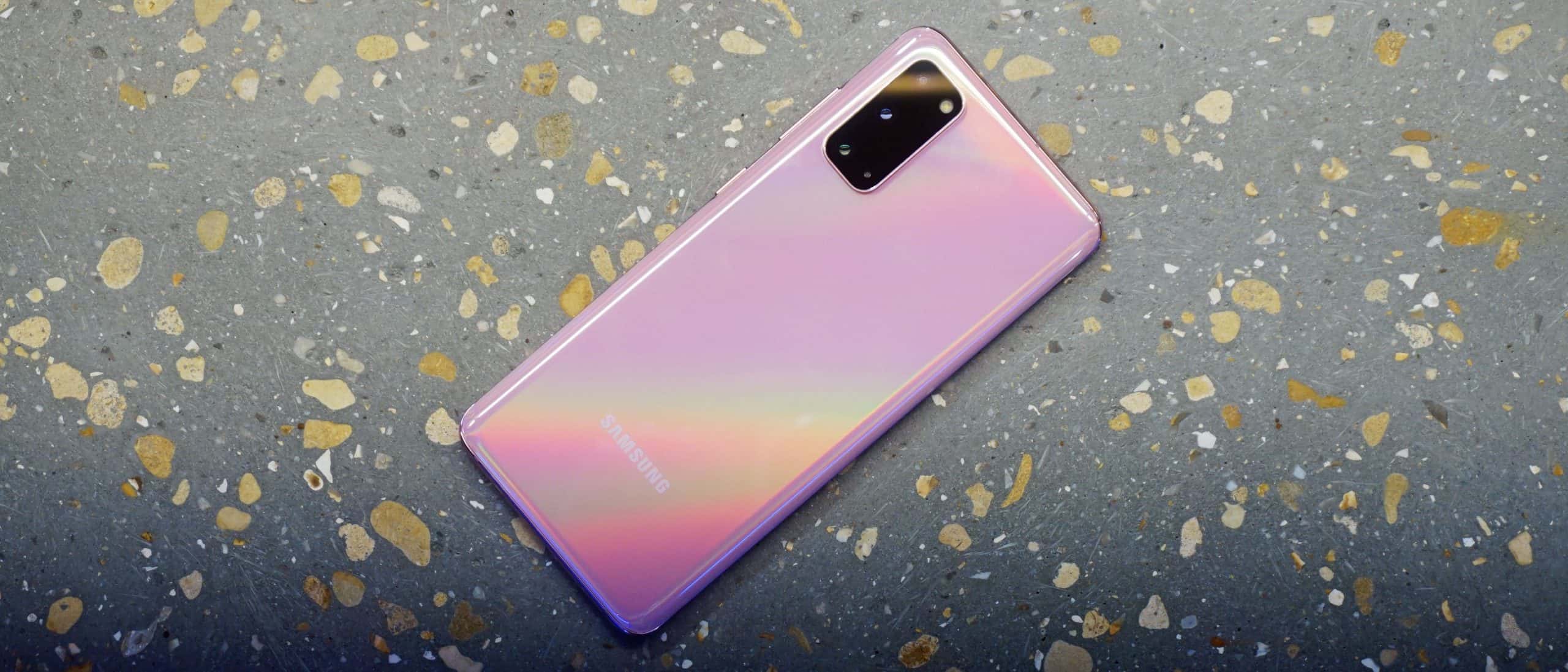
If you already own a Galaxy S20, keep playing on it. It was Samsung’s flagship in 2020 and the parts that made it quick are still inside: a 120Hz AMOLED screen, 8GB or 12GB of memory, and the same processor Samsung put in the S20 Ultra. If you are thinking of buying one, we would not. Samsung has stopped updating the whole family, and its US store no longer lists the phone.
This page dates from 2020, when the phone was new. It has been rewritten for the phone as it stands now: what the hardware is, which settings to change, and what the end of updates means for someone who plays on it.
The hardware
These figures are from Samsung’s own pages for the S20 family.
| Phone | Screen | Battery | Memory |
|---|---|---|---|
| Galaxy S20 | 6.2-inch Quad HD+ Dynamic AMOLED 2X, 120Hz | 4,000mAh | 8GB (4G model) or 12GB (5G model) |
| Galaxy S20+ | 6.7-inch Quad HD+ Dynamic AMOLED 2X, 120Hz | 4,500mAh | 8GB (4G model) or 12GB (5G model) |
| Galaxy S20 Ultra | 6.9-inch Quad HD+ Dynamic AMOLED 2X, 120Hz | 5,000mAh | 12GB or 16GB |
| Galaxy S20 FE | 6.5-inch FHD+ Super AMOLED, 120Hz | 4,500mAh | 6GB or 8GB |
Samsung lists 128GB of storage as the base on all four, with a microSD slot that takes a card of up to 1TB. It adds that memory varies by model and country. The S20 FE shows this most: Samsung’s spec page gives it 8GB, and GSMArena lists 6GB versions as well.
The processor depends on where the phone was sold. Samsung’s US spec sheet names the Qualcomm Snapdragon 865. GSMArena lists that chip for the US models and Samsung’s own Exynos 990 for the global ones. Samsung’s spec page for the global S20 gives only the clock speeds, with a top core at 2.73GHz.
The battery figures need a caveat. They describe a new phone, and an original S20 battery is now about six years old.
Turn on 120Hz
The S20’s screen is set to 60Hz out of the box. Samsung says so in the small print of its own product page. To change it, open Settings, tap Display, then Motion smoothness, and pick the high refresh rate.
There are two catches, both from Samsung’s support pages:
- It only works at FHD+. Switch the screen to WQHD+ and the refresh rate drops back to 60Hz. The S20 FE has an FHD+ screen, so this does not apply to it.
- Power saving mode turns it off. The screen goes back to the standard setting while power saving is on.
If 120Hz seems to have stopped working, those are the two things to check.
The higher rate uses more battery; Samsung’s own note is that 60Hz lasts longer. The setting also only decides what the screen can show. How many frames a game draws is up to the game.
Game Booster and Gaming Hub
Samsung’s games app is called Gaming Hub now. Samsung describes it as the evolution of Game Launcher, and a phone whose apps have not been updated may still show the old name. Game Booster is the part that appears while a game is open. Samsung calls it a separate app that works together with Gaming Hub.
Set the performance level
Open Gaming Hub, tap More options (the three dots), then Game Booster, then Game optimisation. There are three levels: Performance, Standard and Battery saver. Samsung recommends Performance for the best play and warns that it drains the battery faster.
On the older Game Launcher the same setting sits under the menu button, then Game Booster, then Game performance. There the three levels are worded Focus on performance, Balanced and Focus on power saving.
While you play
Tap the Game Booster icon at the left end of the navigation bar at the bottom of the screen. If the game is full screen, swipe up first to show the bar. Samsung’s guides list these tools in the panel:
- Priority mode blocks incoming calls and every notification except alarms, and closes other apps to give the game more of the phone. It only runs while the game does.
- Touch protection locks the touchscreen until you drag the lock icon.
- Navigation button lock stops you hitting Home or Back by accident.
- Screenshot and Record capture the game without leaving it.
A warning about Samsung’s help pages. The newest ones describe One UI 7, where Priority mode has moved into Modes and Routines and the menus are laid out differently. The S20 never got One UI 7, so the older layout above is the one that applies.
One option the S20 lacks is pausing the charge so that the charger powers the game directly. The oldest S phones on Samsung’s list for that feature are the Galaxy S22 series, and the S20 is not on it.
What being out of support means
Samsung promised the S20 three Android upgrades and at least four years of security updates, and it delivered both. The phone went from Android 10 to 11, 12 and 13. Samsung’s update logs for the S20, S20+ and S20 Ultra end with a security patch dated March 2025, five years after launch. The last feature update was One UI 5.1.
The S20 FE lasted a little longer. Its log ends with a patch dated October 2025, also on Android 13.
None of them is on Samsung’s list of phones that receive security updates today. The oldest Galaxy S phones still on it are the S21 FE and the S22.
For someone who plays on an S20, that comes down to this:
- No more security fixes. This matters most if the same phone carries your banking apps and your main email account.
- Android 13 is the ceiling. Every game sets a minimum Android version and raises it over time. Before you count on a new release, look at the Android version its store page asks for.
- No new Samsung features. Whatever Samsung adds to Game Booster from here on will not reach this phone.
The phone does not stop working. Apps still update through the Play Store and the Galaxy Store for as long as their makers support Android 13.
Should you buy a Galaxy S20 now
No. Samsung’s US page for the S20 now redirects to its current phones, so any S20 you find comes from another seller. You would be paying for a battery of unknown age and a phone with no updates ahead of it. Flagship parts from 2020 do not make up for that.
Put the money towards a phone that is still supported. Google promises seven years of updates for the Pixel 10a at about $600, and there are phones with in-screen fingerprint readers from about $490. Both are in our lists: phones with in-display fingerprint readers, by price, and what 8GB, 12GB and 16GB of RAM cost today.
If you are keeping an S20 Ultra, the curved screen is the part to look after. We went through what is still made for it in S20 Ultra screen protectors.
Quick answers
Is the Samsung S20 good for gaming?
For an owner, yes. It has a 120Hz AMOLED screen, 8GB or 12GB of memory and a 2020 flagship processor. Its weak points today are an ageing battery and the end of updates.
Does the Samsung S20 have 120Hz?
Yes, but it is off by default and only works at FHD+ resolution. Turn it on under Settings, Display, Motion smoothness.
What Android version does the Samsung S20 have?
It launched on Android 10 and ended on Android 13 with One UI 5.1. Samsung’s update log shows nothing newer.
Is the Galaxy S20 still supported?
No. Samsung’s last security patch for the S20, S20+ and S20 Ultra is dated March 2025, and the phones are no longer on its security update list.
Is the Samsung S20 still worth buying?
Not in our view. It gets no updates, and Samsung’s US store no longer lists it. A current mid-range phone with years of support ahead is the safer use of the money.